
Smart home automation turns ordinary devices into a connected system you can control from a phone, by voice, or on a schedule. This guide explains what is possible, where to start and what to watch out for.
What can a smart home do?
- Turn lights, fans and AC on or off remotely, or on a schedule.
- Create scenes: one tap for "leaving home", "movie" or "good night".
- Show who is at the door and let you talk to them from anywhere.
- Alert you if a door opens, smoke is detected or water leaks.
- Open and close curtains or gates.
- Show how much electricity each appliance uses.
Where to start
You do not need to automate everything at once. Most people begin with one problem:
- Lighting and fans in the main rooms: the easiest and most visible win.
- Security: cameras, door sensors and a smart lock.
- Climate: AC control and temperature sensors to save power.
- Convenience: curtains, gates, water tank pumps.
What decides the cost
- Number of rooms and switches or devices.
- New construction (wiring is easy) vs retrofit.
- Brand and quality of devices.
- Network quality: you may need better WiFi coverage.
- Installation and support.
The best way to know the price is a site visit and a written list of devices. Beware of quotes that give a single number without specifying brands and models.
WiFi, power cuts and local control
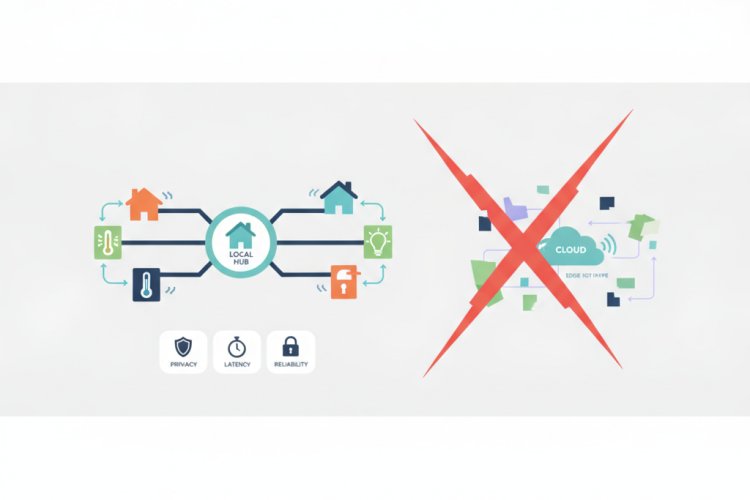
A smart home depends on a good network. Plan for access points in every area, good cabling and a UPS for the router. Prefer systems that keep working locally when the internet is down, rather than ones that need the cloud for every switch. We explain this design thinking in Local-First Smart Homes.
Common mistakes
- Mixing many incompatible brands, so you need five apps.
- Choosing devices that stop working when the vendor's cloud is down.
- Weak WiFi that makes everything unreliable.
- Ignoring security: default passwords and no updates.
Professional installation
If you want a system designed once and supported for years, Netstech offers smart home automation design, installation and maintenance, and can plan the network and cabling with it. See also our IoT solutions.
Frequently asked questions
Is smart home automation expensive?
It can be inexpensive if you start with a few rooms and add later. A full-home system costs more. The key is a plan that grows.
Do smart homes work without internet?
Well-designed systems keep basic control working locally. Remote access needs the internet.
Can I add automation to an existing home?
Yes. Retrofit modules fit behind existing switches and avoid major rewiring.